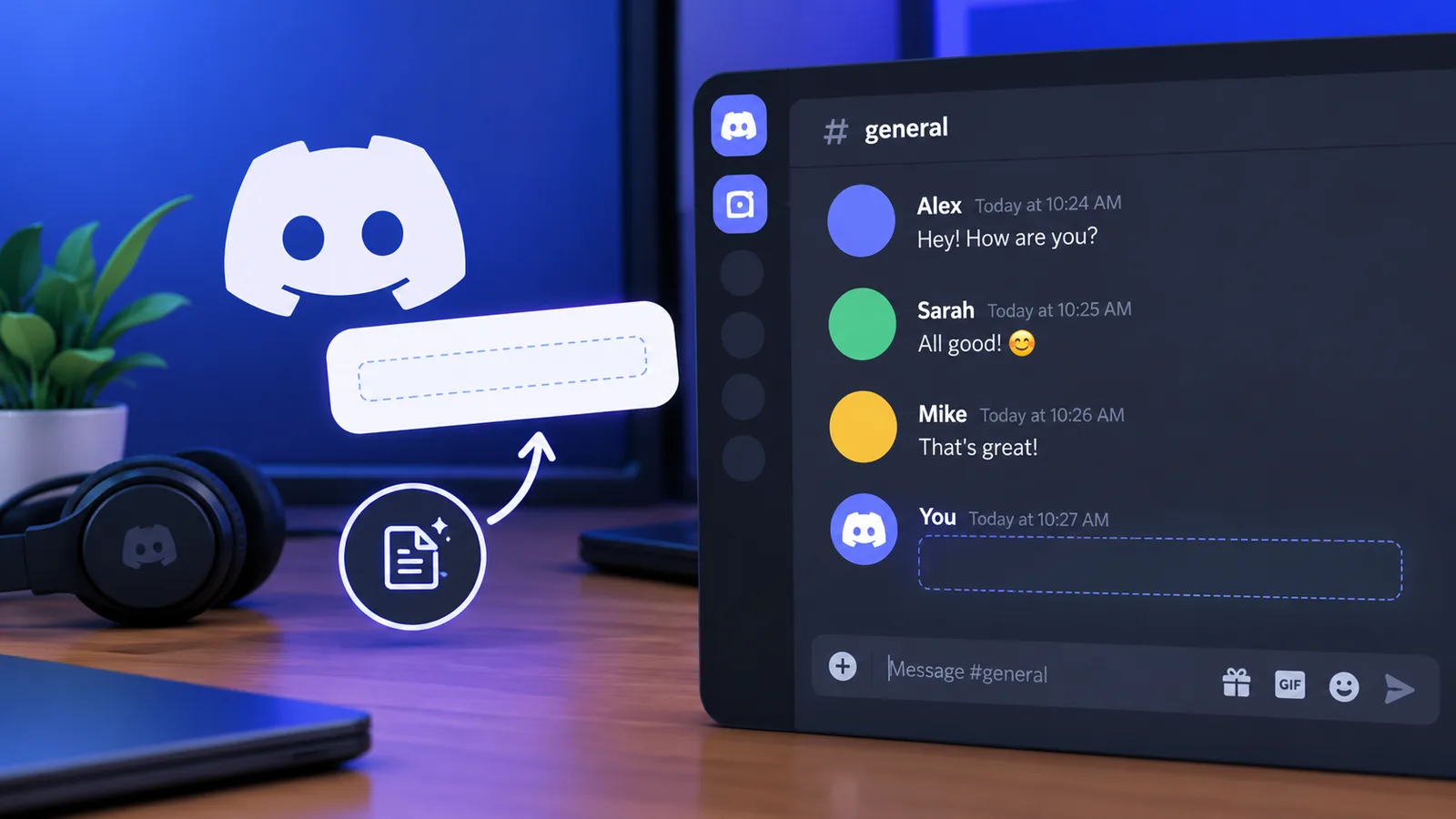
A blank message on Discord: the text is there, you just can't see it.
Discord is mostly used by teams, gamers, and professionals. With over 260 million monthly active users globally, it's one of the most popular social connectivity and community tools. It offers group chats, gaming, and data transfer solutions for communities and teams.
Discord messaging doesn't have to be boring. Users can send GIFs, emojis, gifts, stickers, and game challenges to their friends or colleagues for fun. But there is a better way to surprise contacts on Discord: blank or invisible text.
This type of text on Discord can create curiosity and fun among group chats or individual conversations.
Let's understand what this is and how you can send it to your contacts.
What is blank or invisible text on Discord?
Blank or invisible text on Discord is text that uses specialized Unicode characters, which appear completely empty when pasted in the Discord platform. The purpose of sending such messages is purely for fun and entertainment.
How it works
Discord generally does not allow users to send messages containing only ordinary spaces because they are treated as empty. Pressing the spacebar and hitting Enter does nothing: standard spaces are trimmed by Discord's input filters, so the message never leaves the box. However, specialized Unicode characters like the Zero Width Space (U+200B) appear invisible to the human eye, but they are treated as valid characters by Discord.
How to send blank or invisible text on Discord
To learn how to send blank or invisible text, follow the steps below:
Step 1: Copy the Unicode characters
There are two ways to get Unicode characters or blank spaces. Both of them are easy and free. Let's discuss them in detail.
Method #1
This method involves using the invisible character tool, which allows users to copy invisible spaces. The following screenshot shows one such tool that we found reliable.
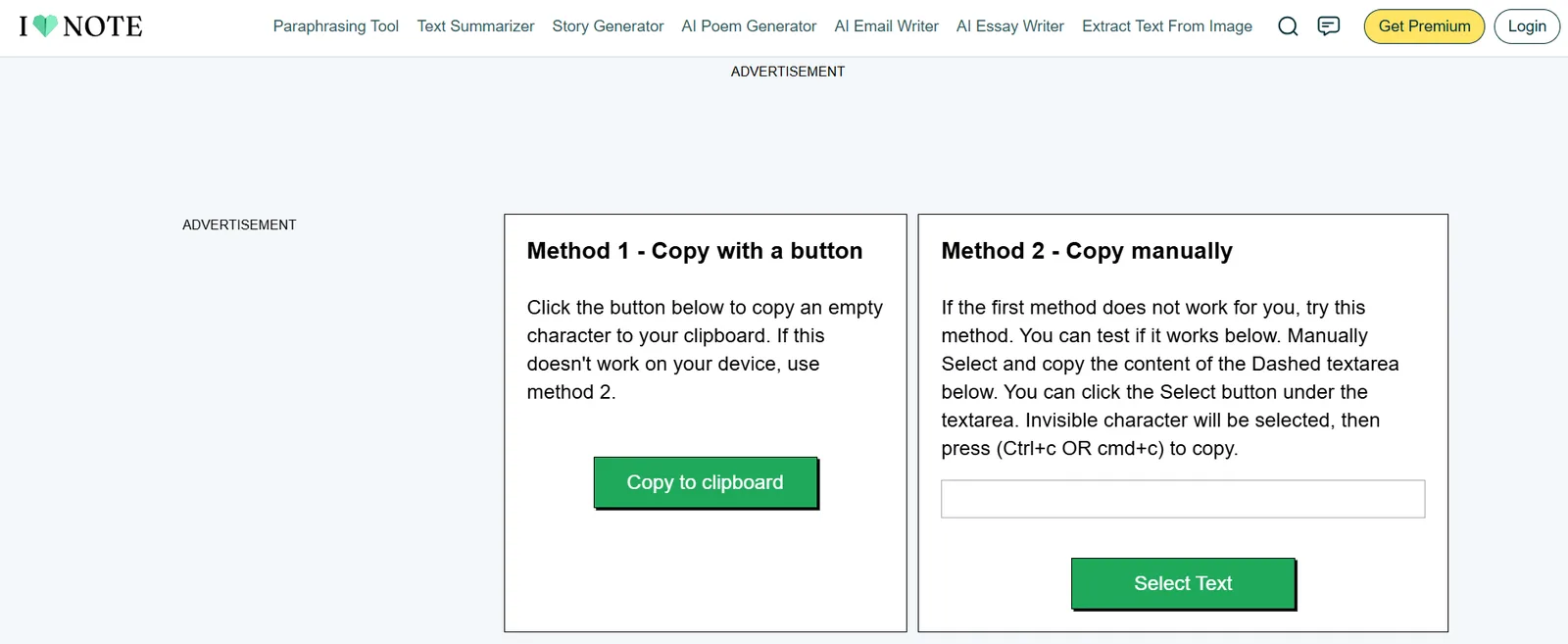
Method 1: copy an invisible character with one click.
As you can see, copying invisible text is super easy. You just need to hit the "Copy to clipboard" button, and that's it. Most such tools work similarly, so you can use any tool of your choice to copy blank space for your Discord chats.
Method #2
This method involves using a Unicode website. Access the website and search for "zero width space." The following picture shows one such site.
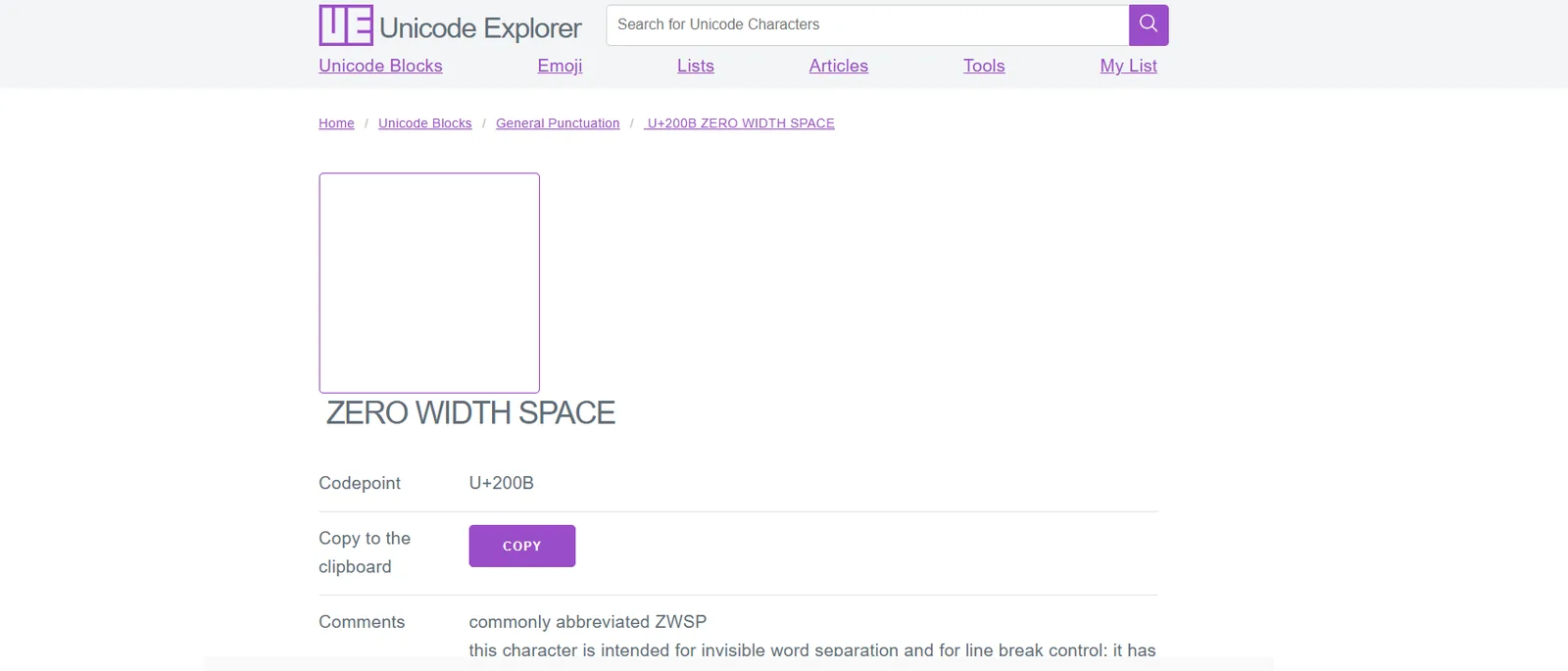
Method 2: copy U+200B from a Unicode reference site.
Copy the invisible character by clicking the "Copy" button, and you're good to go.
Step 2: Paste the blank message in the chat
Open Discord and go to the server channel, or to the DM of the person you want to send it to, and then paste the blank text into the message box.
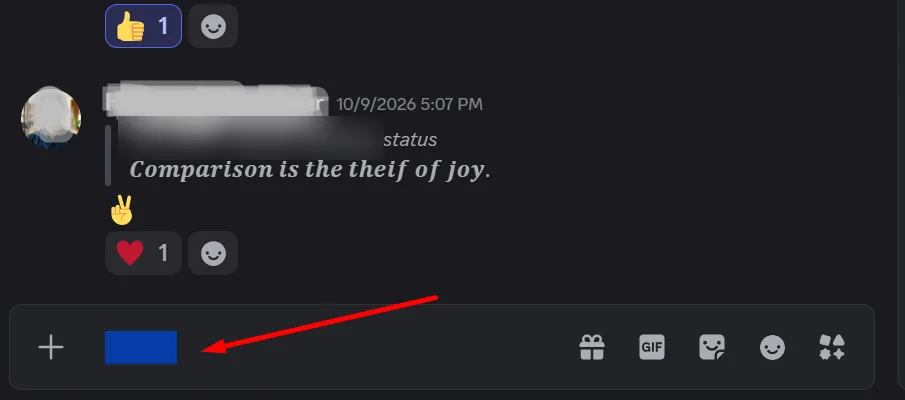
Step 2: the pasted character is invisible, but it is in the message box.
Step 3: Send the invisible message
Once it's pasted, you're almost ready to send it.
Press the "Enter" key to send the blank or invisible message. If nothing happens, go back to Step 1 and copy the character again, because some apps and keyboards drop invisible characters when you copy or paste them.
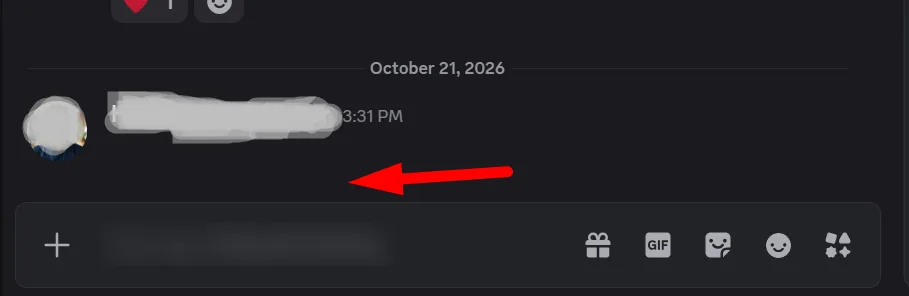
Step 3: the message is sent, and it shows up as an empty line.
Does it work on Discord mobile?
Yes. Invisible text works the same way in the Discord mobile app: copy the character, long-press the message box, paste, and tap send. If it doesn't work, make sure your Discord app and your phone's operating system are up to date, as older versions can handle these characters differently.
Common uses of blank or invisible text on Discord
People usually send blank texts on Discord to surprise or confuse friends or colleagues. However, the use case may vary from person to person. Here are two common uses of invisible text on Discord:
1. Sending blank texts to friends or colleagues for fun
GIFs are overrated. Emojis are okay. But try blank texts on Discord for a change. Blank texts can be your secret messaging language with your friends or colleagues. It could mean anything, for instance, confusion, laughter, or anger.
2. Customizing server channel formatting
Discord allows users to customize server channels. You can insert invisible text elements into the server to see how the community or group reacts to it. For example, you can use blank text in your server channel's name or make your Discord name invisible for a while.
Can Discord ban you for sending blank messages?
Sending blank messages to your friends or contacts won't get your account banned unless you abuse the feature. If you keep sending such messages to others and they get annoyed and report your activity, it could create problems, so keep it to people who are in on the joke.
What should you do when the invisible text doesn't send?
Invisible messages on Discord are fun to send, but it can be frustrating if the invisible text fails to send. Perhaps it's happening because the characters you copied are regular spaces, or because Discord is rejecting the specific Unicode character you used. So, here's what you should do:
Look for ordinary spaces or unsupported characters
Before doing anything, you should check whether you're using the correct Unicode characters. Copying unsupported characters or adding ordinary spaces can stop the invisible message from sending. So, make sure you're copying the invisible text from the right source.
Check whether Discord changed how it handles these characters
Discord doesn't restrict invisible text as of now, but platforms can change their policies over time. You can always check Reddit, Google News, or industry blogs for such updates.
Send a built-in spoiler message
Discord offers a built-in messaging feature that lets you send a spoiler message. The text remains hidden until the recipient clicks it. To send a spoiler message, type "/spoiler" in the chat box to activate the spoiler command, write the text, and send it.
Final words
Sending invisible texts to your friends or colleagues makes the Discord experience more fun. Professionals use Discord as an all-in-one hub for chat, file transfer, integrations, audio and video channels, and screen sharing, so besides sharing files, documents, and updates with colleagues all day, you can have a little bit of fun too.
GIFs, emojis, and stickers are all good, but try invisible messages at least once if you haven't already. Your Discord conversations may never be the same once the banter over those blank texts starts.

With a background in AI and a passion for clear technical communication, I enjoy breaking down complex tools and processes. Exploring new software and sharing insights is a key focus.
Run a gaming, tech, or AI site? Write for us or swap links →
Further Reading
How to Build a Discord Server for Your Readers and Writing Group
Build a Discord server for writers with critique forums, spoiler-safe book clubs, writing sprints, clear rules, onboarding, and practical moderation tools.