

Midjourney
AI Tools
Level 3255 boosts
Low
The official server for Midjourney, a text-to-image AI where your imagination is the only limit.
726K online19M members
Find and join the best Discord servers in seconds. Search by game, topic or tag, filter by size and live activity, and see how many members are online right now — or paste any discord.gg invite to check it before you join.
278 servers found

The official server for Midjourney, a text-to-image AI where your imagination is the only limit.
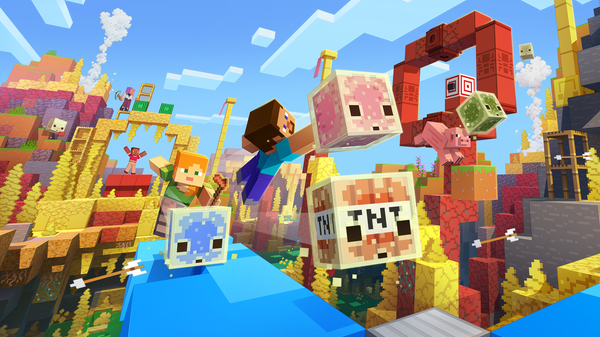 MCServer tag: MC
The official Minecraft Discord run by Mojang Studios: snapshot and update news, build showcases, redstone help and millions of players to play with.
 VALServer tag: VAL
The official VALORANT Discord server, in collaboration with Riot Games. Find the latest news and talk about the game!
 GIServer tag: GI
Welcome to Teyvat, Traveler! This is the place to discuss with others about your favorite game: Genshin Impact!
 FORTServer tag: FORT
The Official Fortnite Discord Server! Join to follow news & updates, LFG, and chat about all things Fortnite!
 LOFIServer tag: LOFI
The friendliest community on Discord 🧡 Join now to meet amazing people from all around the world 🌎
 RLServer tag: RL
The official, developer-run Discord server for Rocket League! 900,000 Rocketeers strong and growing.
 R6Server tag: R6
The Rainbow 6 Discord. Keep up with R6 game news, Siege esports, find teammates, and chat about all things Rainbow Six!


The official home of Rockstar Games on Discord! Chat about your favorite Rockstar Games titles, connect with other players, and keep up with announcements.
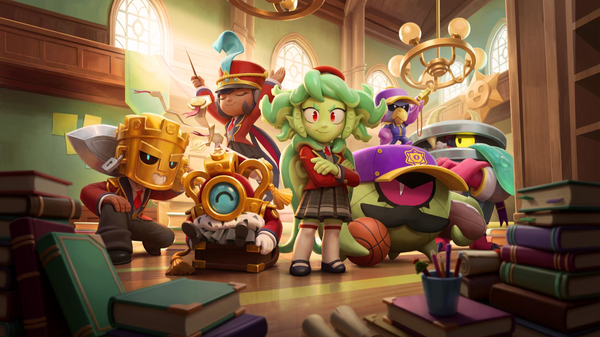 BSServer tag: BS
Join the official server for Brawl Stars! We offer looking for group, friendly matches and much much more!
 APEXServer tag: APEX
Official community run, developer supported Discord server dedicated to Apex Legends.
 OAIServer tag: OAI
The official OpenAI server—connect, explore, and engage with others on ChatGPT, Codex, and OpenAI’s latest models.
 RUSTServer tag: RUST
Official discord for Facepunch's Rust game.
 DBDServer tag: DBD
The official Dead by Daylight Discord server. Your place for news, LFG, discussion, questions and casual chatting!
 SOULServer tag: SOUL
Welcome to the ultimate anime community! 💛 We connect 750,000+ fans across Discord. If you love anime, hop in and say hi! ✨
 KINGServer tag: KING
Welcome to the official Discord server for Clash Royale, a live multiplayer mobile strategy game from Supercell.
 OWServer tag: OW
The largest community-run Overwatch Discord server. Join us for gameplay discussion, LFG, updates & more!
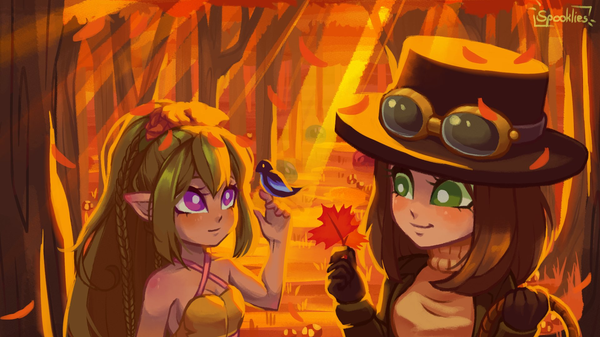 TreeServer tag: Tree
Ask questions, join events, win prizes and meet new friends on the official Terraria server; the #1 rated game on Steam!
 1984Server tag: 1984
Welcome to the funniest dankiest memeiest server on discord. share and create memes and make friends for life here.
 PHASServer tag: PHAS
Official Discord: Phasmophobia is a 4 player online co-op psychological horror game.
 meowServer tag: meow
A famously silly cat server: photo dumps of everyone's cats, chaotic chat and one of the most active general communities on Discord.
 ELDNServer tag: ELDN
The official hub of ELDEN RING and ELDEN RING NIGHTREIGN. Join your fellow Tarnished & Nightfarers.
 EDGYServer tag: EDGY
Dystopian cyberpunk server. Memes, misfits -- 24/7 active voicechats and text channels. Over 540,000 members!
 LOLServer tag: LOL
Welcome to League of Legends! A community-ran Discord server for all things LoL; run in collaboration with Riot Games.
Every listing is a public community with a working invite. Pick a category to filter the list above.
This page is a curated list of public Discord communities — not an open submission dump and not a claim to list every server on the internet. You search by name or topic, tap a category chip (Gaming, Programming, Anime, and so on), or filter by tags like LFG, study, or official. Results update as you type; there’s no account and no bump queue.
Member and online numbers on each card refresh from Discord’s public invite endpoint when that card scrolls into view. Those counts are approximate and can fall back to our last verified snapshot if Discord rate-limits the browser. Sort by total members, who’s online now, or activity (% online) when you care more about a lively chat than a huge roster.
| What you do | What you get |
|---|---|
| Browse a category or tag | Servers grouped by topic, not by who paid for placement |
| Filter size / activity / 18+ | Fewer dead rooms; NSFW listings stay hidden unless you opt in |
| Paste a discord.gg link | Live check: real server name, size, and whether the invite still works |
A working discord.gg invite only proves Discord still recognizes that code and that the server behind it is public enough for the invite API to answer. It does not mean the community is safe, moderated well, or a good fit for you. Expired, revoked, or one-use invites fail the check — useful before you click a link from a stranger or a random comment.
Join carefully: skim rules and channel list first, leave if DMs feel scammy, and never share passwords, seed phrases, or payment codes because someone in a server asked. Official or verified branding helps for brand support; for hanging out, a smaller active room is often better than a million-member lobby. When in doubt, paste the invite here first, then decide.
Beyond the hub search, each major category and enough-popular tags get their own page — for example gaming servers, programming communities, or tags like minecraft and LFG. Those pages exist so you can land on a focused list when you already know the vibe, without wading through every listing on the site.
Use them when you’re exploring a topic; use the filters on this page when you want to mix size, live activity, and several tags at once. Either way you’re still looking at the same hand-checked public invites — just sliced for how people actually browse.
Already in a server and need its numeric ID for a bot, dashboard, or support ticket? Use Discord Server ID Lookup — paste a guild ID to confirm name, size, and creation date.
Looking up a person instead of a community? Discord ID Lookup resolves a user snowflake to public profile details. Come back here when you want communities to join, not IDs to verify.
Translate Your Videos with AI& Reach Billions
No credit card required • 5 free minutes
We contribute 1% of revenue for carbon removal

Three steps between you and a community worth joining.
Type a game, hobby or topic — or pick a category like Gaming, Anime or Study. Results filter as you type, with no sign-up and no bump spam.
Narrow by server size, how many members are actually online right now, tags, and whether the server is 18+. Sort by members, live activity or age.
Every listing carries a working discord.gg invite. Hit Join to open Discord, or copy the link to share the server with a friend.
Built to answer the one question every Discord list ignores: is this server still alive?
Member and online numbers come from Discord's own invite endpoint, refreshed on a schedule, so you see real sizes instead of a figure someone typed into a list a year ago.
Paste any discord.gg link and we ask Discord whether it is still valid, which server it opens, and how big that server really is — before you click through.
Every server here is a real, public community that resolved through Discord's own API. No dead invites, no pay-to-rank slots, no endless bump queue.
Popular things people search this Discord server finder for.
Official servers for Minecraft, Valorant, Fortnite, Roblox and more — the fastest way to find teammates, patch news and tournaments.
General hangouts, voice-chat servers and social communities where the point is conversation rather than a specific game.
Developer communities for Python, React, Rust and the big AI tools, where questions get answered by people who ship code daily.
Study-together rooms, exam prep and language exchange servers that keep you accountable with real people in voice.
Critique channels for artists, producer feedback rooms, watch-along servers and fandom communities for every seasonal show.
Trading floors, fantasy leagues, car and pet communities — filter by category to see everything in one place.
Resolve Discord IDs, inspect public profiles, and browse servers by category.
Grab high-resolution avatars and banners from any public Discord profile.
Convert banners and emoji to Discord’s exact pixel and file-size limits.
Markdown formatting, spoilers, small text, timestamps, ANSI colors, and Unicode fonts.
Bios, statuses, usernames, rules templates, replies, and developer calculators.
How-tos for Nitro and emoji — informational only, no scam generators.
Finally, servers that are actually alive
"Every other Discord list I tried was full of dead invites. Seeing the live online count before joining is the feature I didn't know I needed."
Jared Milton
Found my study group in a minute
"Searched 'study', filtered to very active, joined the top result. I've been in voice with them every evening since."
Aditi Rao
The invite checker saved me
"Someone sent me a discord.gg link and I pasted it here first. Told me the real server name and size instantly. Great little safety net."
KRAB OFFICIAL
No sign-up, no nonsense
"No account, no bump spam, no ads shoved in front of the listings. Just a fast Discord server search that works on my phone."
Pranay Goswami
Type what you are into — a game, a topic, a tag like 'anime' or 'study' — into the search box above, or pick one of the category chips. Every result shows the server's size and how many members are online right now, and the Join button opens the invite in Discord. You can also use Discord's own Server Discovery inside the app, but it only lists servers that opted in and meets Discord's size requirements, so smaller communities never show up there.
Yes. There is no account, no paid placement and no limit on searches. Every listing links straight to the server's own discord.gg invite.
Listed servers use our last verified snapshot (verified october 2026). Online counts can be a few days old — that is enough to tell a busy server from a quiet one. Paste a discord.gg link that is not already listed and we still check that invite with Discord live.
Look at the online count rather than the member count. A healthy public server usually has 4-15% of its members online at any time; anything below that is a big list with a quiet chat. Use the Activity filter to keep only servers above those thresholds, or sort by 'Most active (% online)'.
Paste the full link — or just the code after discord.gg/ — into the search box. We ask Discord directly and show you the real server name, icon, ID, creation date and live member count, or tell you the invite has expired or been revoked. It is a quick sanity check before you click a link a stranger sent you.
An 18-19 digit ID cannot be turned into an invite link — only the server's own members can create invites. If the ID belongs to a server listed here we will point you to it; otherwise use our Discord Server ID Lookup tool, which reads the server's name, icon and creation date from the ID itself.
You cannot join a private server without an invite, but you can find public ones two ways: through a directory like this page, or through Discord's built-in Server Discovery (the compass icon in your server sidebar). Servers that appear in Discovery can be joined directly from inside the app.
Invites can be set to expire after a time or a number of uses, they can be revoked by a moderator, you may be banned from that server, or the server may have been deleted. Paste the link above to see which case it is — if Discord no longer recognises the code, ask whoever shared it for a fresh invite.
Servers Discord flags as age-restricted are hidden by default. You can reveal them with the 'Show 18+ servers' switch under Filters. Discord requires you to be 18 or older to join those communities, and some also require age verification.
This directory is hand-checked rather than open submission, so every invite resolves through Discord's API and no listing is paid. Get in touch through our contact page with your invite link and category if you would like your community considered.