When you use an intro to greet people in their own language, that gets noticed, and people like that because it connects to them on an inner level when you speak in their mother tongue. But it's not always possible because you don't know all the languages. Also, it's difficult to scale because it will take hours from your schedule. ElevenLabs AI voice changer helps you to scale your preferred voice. You will see how to put the stack together in this blog and where this AI voice changer fits.
What is an Audio Stack for Streamers/gamers?
Your audio stack is actually the whole trip from your mouth to someone's ears. So it starts from your microphone, then goes through the interface or USB for processing. It completes the processing with noise cancellation, equalization, compression, etc., and goes into the voice layer. Then it gets routed to output for OBS, Discord, game chat, or just recording. Most of the time, you will probably not get noiseless audio. In that case, you need to adjust the room, you need to make a great physical setup so that you need to process less messy signals. But again, you will not get a completely noiseless signal. So you have to use software to fix the timbre, equalize, and noise gate. Game audio also has to stay out of the voice layer entirely so you can mix things clearly when you want. And clarity is one of the things that gets you more views, making the audio sound more professional.
Live Conversion vs Pre-Rendered Voice
Live conversion takes a bit of time, so it adds delay between what you say and when the listener hears it. While a pre-rendered voice adds no delay during playback because the work is already finished before you are hitting play. You can record and upload something, and it will convert that recording in the voice you want. It never uses the mic while you speak, so use it for character lines, intros, sub alerts, channel point redeems, or for voiceovers on highlight clips or even talking in a different language. It generally takes few seconds only, after which you can then download the converted audio and load it into your soundboard or OBS playback setup. Uploads are only allowed up to 50 MB though, holding a maximum of 5 minutes of audio. So keeping the clip short is helpful. 1 minute of audio is also tested to work pretty good. If you produce a lot of alerts or work with a team or need to scale this thing, you can use the ElevenLabs API, which will convert the audio files too. A developer can batch the whole redeem pack or just use an AI agent to do it for you.
You should use the clean path for your normal voice and the other for converted clips with a hotkey or stream deck button to switch between them. For a character bit, maybe mute or switch off the live mic while the clip plays so your real voice doesn't talk over it. Then go back to the talk path for normal conversations. For a "raid alert", let's say you want the clip to cut over chat entirely. For a quick redeem, letting people keep talking can be funnier. Pick one behavior per alert type before you go live.
Routing the Converted Voice Into OBS or Discord
- For routing the converted voice into different applications like OBS and Discord, a virtual audio device is helpful. So point your soundboard or playback tools output at the cable, and then Discord can use it as a microphone with no general system audio mixed in. You can send converted clip playback to a dedicated audio device, which would be deemed virtual. So only the clip goes into that feed. In case of Discord, open user settings, then go to voice and video, and then set the microphone to that particular virtual device.
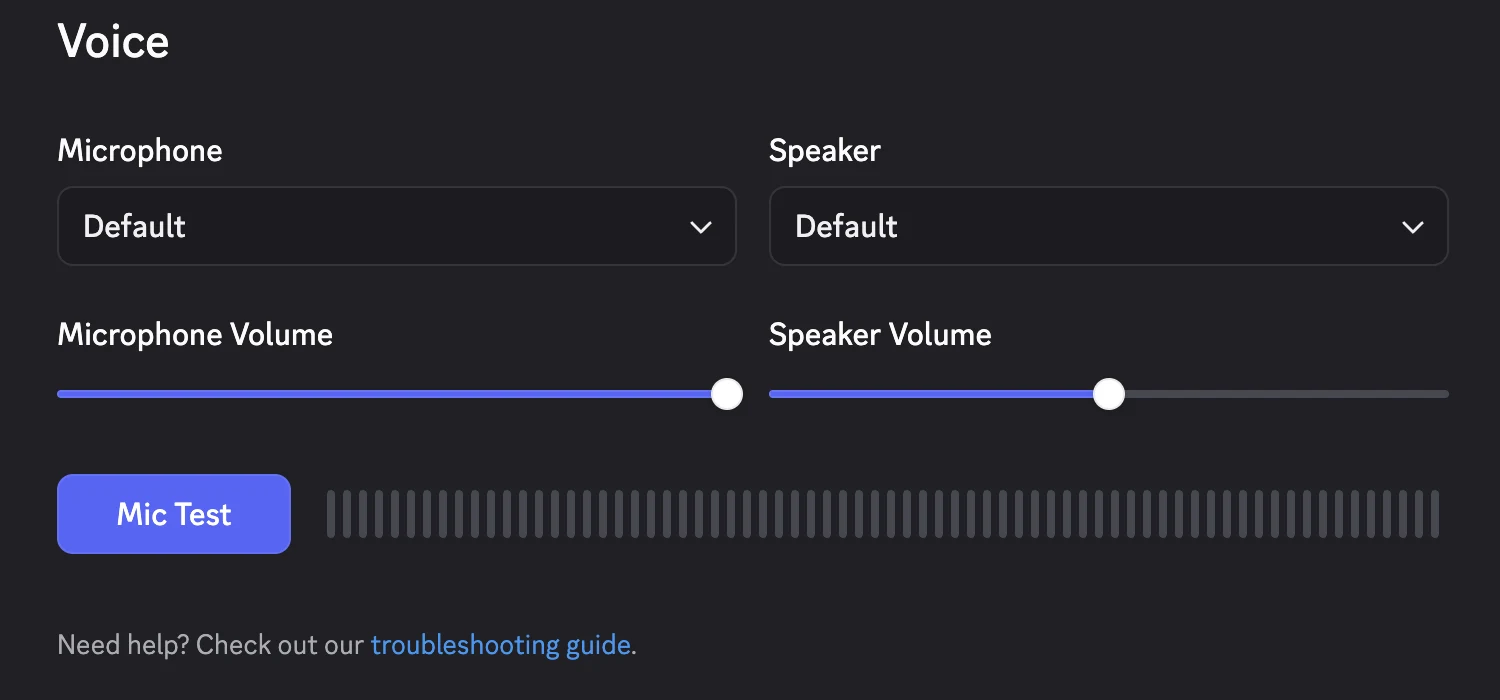
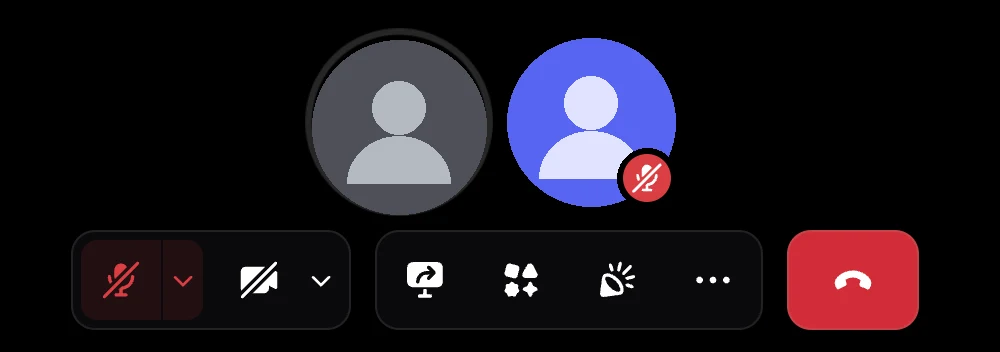
- Discord only takes one input device, so your normal mic is heard only if it is also in the same feed. A virtual audio mixer handles that. You can send both the mic audio and recorded clip in the virtual audio mixer of Discord and give the output to its microphone. You should leave the audio from the game out. Ask your partner to test playing a short clip, maybe. Your partner should be able to hear the new voice with nothing mixed.
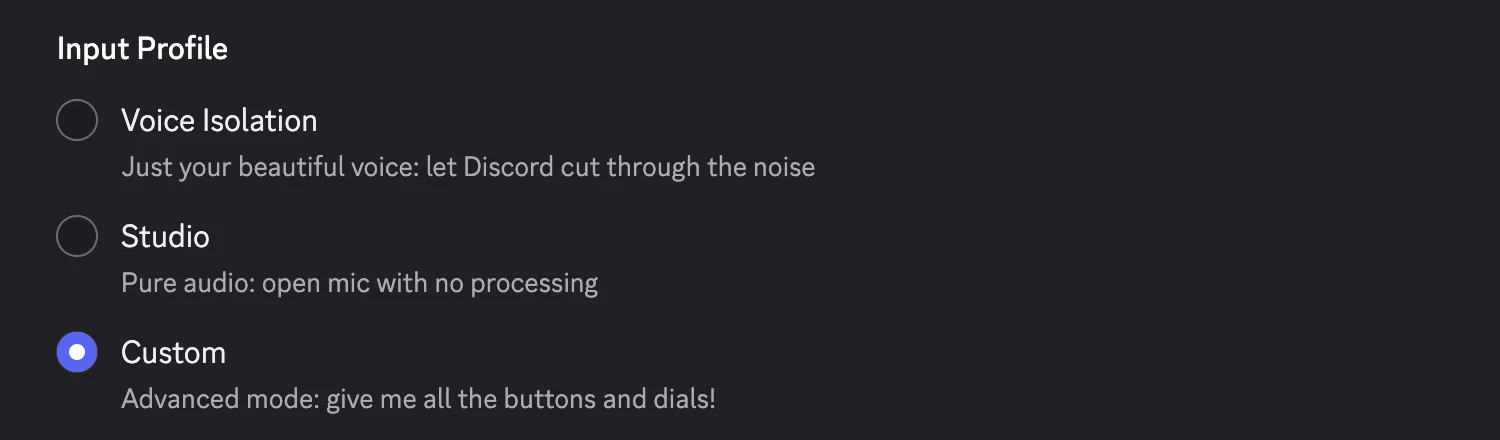
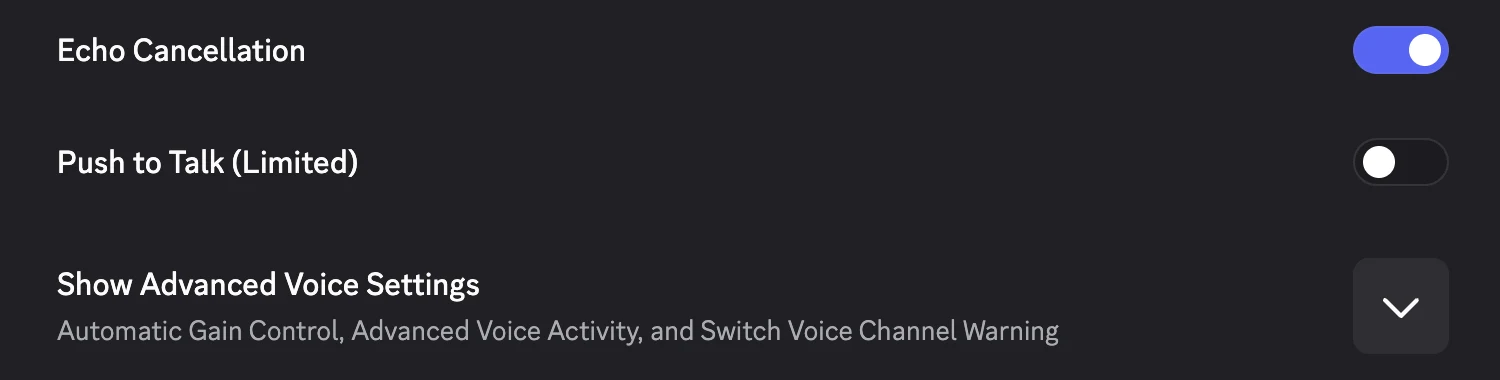
- Now, Discord's own processing on top of the clip generally makes the speech sound choppy. So, under the input profile, pick “studio”. It will work like an open mic with no processing. You can also pick custom and set noise suppression to none and switch echo cancellation off. In any case, studio is the quicker option.
- For sample rate, 48 kHz is fine across your interface. Also, you can use push to talk. It's mostly useful if you want to trigger character bits yourself.
- For OBS, you should add separate OBS audio sources for the microphone and the converted playback. There's an option called Advanced Audio Properties. You can set them to “monitor off”, or “monitor only”, or “monitor and output”, depending on where it needs to go. “Monitor only” is the option by which you check a clip in your headphones without sending them to the stream. And the other option, monitor and output, covers both. Now, “monitor off” is a sensible default when you are leaving the mic and the clip both off, unless you need to hear them yourself. The same panel also has a sync offset column in milliseconds for an audio that lags behind the video.
Getting Expressive yet Natural-Sounding Results
If you want to get expressive and natural sounding results, you should probably try to be expressive yourself, because the converted voice follows how you are delivering the line. So record a villain's warning as the whisper that you will also want to hear back. Always check how it's coming out and accordingly set the result. A pop filter and a steady distance from the mic generally helps. Recording in a quiet room and leaving some headroom, so that louder words don't clip before the conversation, also helps. ElevenLabs offers background noise removal for cases where you have some kind of background noise while recording.
Using AI Voice for Multilingual Streams
Voice changer applications like ElevenLabs generally support 70+ languages and carry original emotion across. A good fit for voice changer application is welcome message or rule announcement for international viewers. Changing a voice itself doesn't translate anything, so you should have the translated script ready first. You can use any LLM or AI agent for getting the translated script. For a dubbed intro, you can record the translated script in your own voice, convert the recording into the chosen voice using the voice changer. Ideally, a native speaker should check the wording and delivery before it goes live. You can use dubbing applications too, to translate and dub in one shot. If you're running a Discord server, you may like to record your welcome message only once as the master version and then prepare language specific recordings from the script or directly translate it using video translation.
Legality of using Voice AI on Stream
You should use only those voices which either you own, that is your own natural voice, or you are licensed to use. If you are using any cloned voice, please get consent for it, because otherwise it will be illegal use of that voice. A character should stay clearly distinct from real people or other creators from whom you do not have consent. A parody of a famous streamer is generally a poor choice, and you can be sued for that. Twitch and YouTube each have their own rules on synthetic audio. So does Discord. So, it's best to inform your viewers when a voice is synthetic, for example, with a short note in your stream description, so that they're aware.
Checklist for Your First AI Voice Setup
- Try to keep room noise under control and record clean audio keeping the distance from your mouth to mic steady.
- Whether you're using a clip or talking live, only one voice should come into the feed at a time.
- You should test once before going live so the game audio always stays out of the voice feed.
- On a converted voice path, you must use Discord's studio input profile so that the voice doesn't sound choppy.
- Match everything to 48 kHz.
- Prepare a pre-rendered voiceover pack for alerts and redeems. You can add a synthetic voice disclosure to your stream description too.

With a background in AI and a passion for clear technical communication, I enjoy breaking down complex tools and processes. Exploring new software and sharing insights is a key focus.
Run a gaming, tech, or AI site? Write for us or swap links →
Further Reading
6 Best Voice Changers for Discord in 2026 (Free and Paid)
Find the best voice changer for Discord in 2026. Our independent list names Voicemod and five alternatives, with free options, prices, and limits.
10 Best Discord Bots for Streamers in 2026
Compare the 10 best Discord bots for streamers. Pick Streamcord for go-live alerts, or find tools for moderation and supporter roles.