An hour before a tournament broadcast, the production team discovers that its spare capture card is still with last weekend’s commentator. Someone remembers approving the loan in Discord, but the message does not mention a return date. Another team member orders a replacement, unaware that a working unit is sitting in storage.
For a gaming organization or streaming team that shares equipment, this is an asset management problem. The team needs an accurate record of what it owns, where each item is, who is responsible for it, and whether it is ready to use.
Discord can remain the place where people coordinate their work. A reliable IT asset management process gives those conversations a dependable operational record, covering everything from gaming laptops and microphones to software licenses and equipment returns.
Define Which Assets the Team Needs to Track
Start by identifying the equipment and software the organization owns or is responsible for returning. A creator’s personal headset and a company-issued production laptop have different ownership arrangements, even when both appear in the same broadcast.
For shared gaming and streaming operations, the inventory might include:
- Gaming PCs, editing laptops, monitors, and docking stations.
- Microphones, audio interfaces, headsets, and mixers.
- Cameras, capture cards, lighting equipment, and control surfaces.
- Routers, portable networking equipment, and external storage.
- Paid editing software, design applications, and other assigned software licenses.
The goal is to record items whose loss, failure, or unavailability would affect the team’s work. Expensive equipment deserves individual identification. Lower-value accessories may be easier to manage by quantity or as part of a clearly defined kit.
Separate Ownership From Responsibility
Ownership answers who the equipment belongs to. Assignment answers who currently has responsibility for it.
A camera may belong to the organization while being assigned to a remote producer. A demonstration laptop may belong to a sponsor while the team is temporarily responsible for its condition and return.
Record both facts. Otherwise, a borrowed item can accidentally become part of the permanent inventory, or a personally owned device can be mistaken for equipment available to other team members.
Build an Inventory That Answers Practical Questions
A useful asset register should help someone make a decision without searching through old conversations.
If a producer needs a capture card for Friday’s stream, the record should show which unit is suitable, whether it is available, and who can release it. A product name and purchase price alone will not answer those questions.
Use consistent fields for each individually tracked asset:
| Field | Example |
|---|---|
| Unique asset ID | CAP-014 |
| Category and model | Capture card, specific manufacturer and model |
| Serial number | Manufacturer’s device identifier |
| Owner | Organization, sponsor, or rental provider |
| Assigned person or location | Named producer or studio storage |
| Current status | Available, assigned, in transit, under repair, or retired |
| Expected return date | Agreed date for temporary assignments |
| Condition and included accessories | Tested; cable and adapter included |
Purchase records, warranty information, and repair notes can be attached or referenced where needed. Keep personal information limited to what the equipment workflow actually requires.
Identify the Physical Item
Two identical microphones still need separate records if they move between people. Give each one a unique asset ID and place a readable label on the equipment or its case.
The same identifier should appear in the inventory, checkout confirmation, and any related request. This allows the team to distinguish “the microphone used for interviews” from the exact unit that needs inspection.
For production kits, maintain a component list. A kit marked as returned may still be unusable if its power adapter or mounting hardware is missing.
Choose a Central Record the Team Can Maintain
A shared spreadsheet can support a small, stable equipment pool when one person keeps it current. As handoffs become more frequent, however, the team may need clearer assignment history, return reminders, maintenance records, and individual access controls.
The decision to adopt dedicated software should come from those requirements. A large inventory is one reason to change systems, but frequent movement between studios, remote staff, and event locations can create complexity even with relatively few devices.
Teams evaluating dedicated software can review https://bluetally.com/ for IT asset management features such as equipment assignments, checkout confirmations, return reminders, software license tracking, and asset audits. These capabilities are relevant when a gaming or streaming operation needs a consistent record of equipment ownership and responsibility across multiple people or locations.
Before selecting a platform, test one realistic workflow: add a device, assign it to someone, record its return, flag a fault, and inspect its history. Also check how easily existing data can be imported and exported.
For unusual production equipment, confirm that the system can record the details the team needs. A generic laptop inventory may not capture whether a device supports the connections required for a particular broadcast.
Give Every Equipment Handoff a Complete Record
An equipment handoff should establish responsibility at the moment the item changes hands.
Before releasing a device, record its asset ID, recipient, condition, checkout date, expected return date, and included accessories. Ask the recipient to confirm receipt and report any discrepancy while the handoff is still easy to verify.
This is particularly useful when shipping equipment. “Package delivered” does not confirm that the correct device arrived, that the box contained every component, or that the equipment works.
Make Returns a Separate Step
A return begins when someone sends or brings the equipment back. It is complete when the receiving person checks the contents and updates the record.
Use a status such as “returned—awaiting inspection” if the item cannot be tested immediately. Move it to “available” only after the appropriate checks.
For a streaming kit, those checks might include powering on the camera, testing the microphone, inspecting connectors, and confirming that the required cables are present. This prevents the next producer from discovering a problem during setup.
Direct transfers also need recording. If one commentator hands a headset to another after an event, the assignment should change even though the equipment never passes through storage.
Use Discord to Coordinate the Equipment Workflow
For a team already working in Discord, equipment requests should be easy to submit without creating a second, competing inventory.
A practical setup might include a staff operations area with channels for equipment requests, technical issues, and event preparation. Configure access for the people who need those conversations, and check the relevant role and channel permissions; the Discord permissions calculator shows what each permission setting grants.
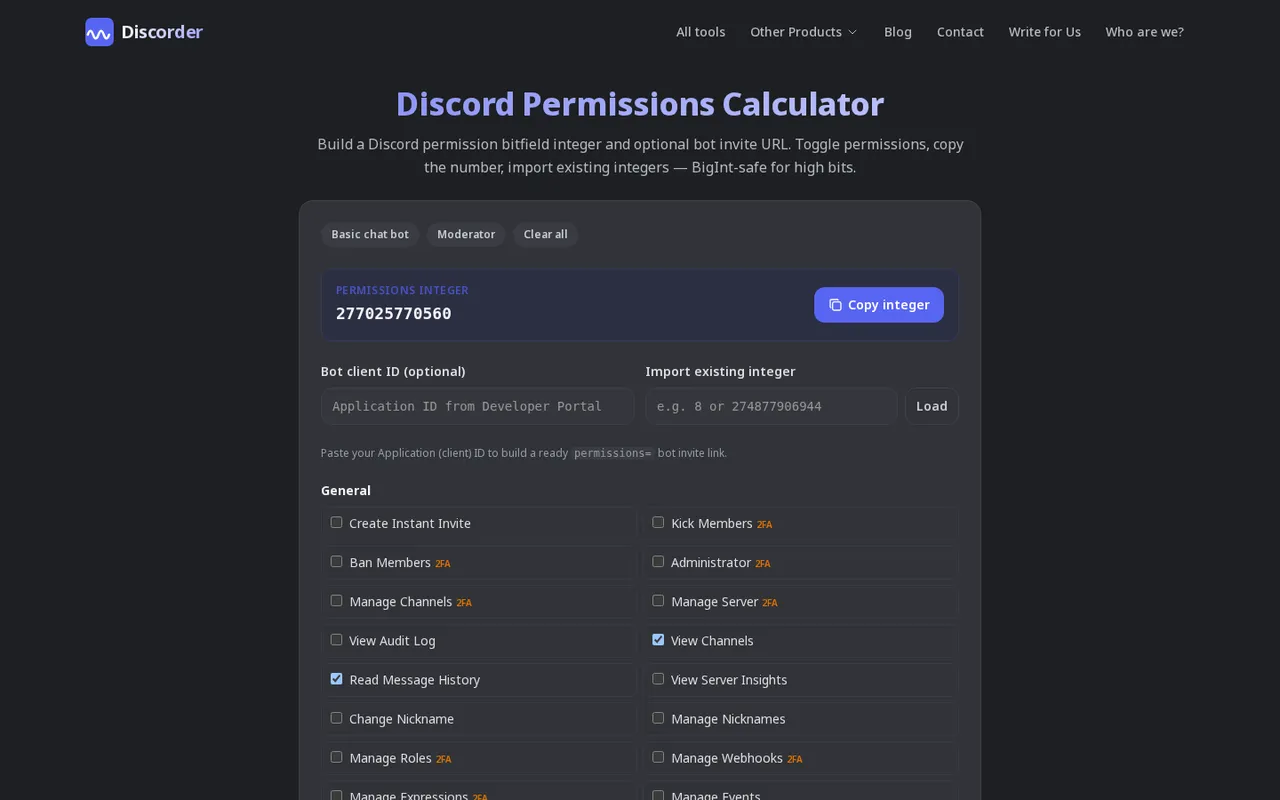
Discord permissions calculator
An equipment request can follow a short template:
- Needed for: Tournament commentary.
- Required equipment: One tested USB microphone.
- Use dates: Friday through Sunday.
- Location: Remote production desk.
- Return plan: Monday handoff to the equipment coordinator.
The coordinator then checks availability, records the assignment in the asset system, and replies with the confirmation and asset ID.
This gives each part of the workflow a clear purpose. Discord carries the request and discussion. The inventory holds the current status and assignment history.
Avoid posting software keys, account credentials, shipping addresses, or purchasing documents in general discussion channels. Store sensitive details in the appropriate restricted system and share only what the conversation requires.
A manual process can work well here, and a ticket bot can add structure if requests start to pile up. The important requirement is that a named person updates the asset record when a request becomes an actual handoff.
Track Software Licenses Alongside Hardware
A team can account for every laptop and still lose track of its software spending.
Editing applications, design subscriptions, production services, and paid collaboration tools may be purchased by different people at different times. Without a clear owner, a subscription can remain active after the project ends or the person using it leaves.
For each paid product, record the subscription owner, billing contact, renewal date, number of seats purchased, and current assignments. Identify who can approve additional seats and who can remove access.
Keep purchase, assignment, and usage distinct. Five purchased seats do not necessarily mean five assigned users, and five assignments do not prove that every seat remains necessary.
Before a renewal, ask the responsible team lead to confirm the continuing need. Review the vendor’s terms before transferring licenses between users or devices, because reassignment rules vary.
License tracking should also connect to onboarding and offboarding. A newly hired editor needs the right tools before the first deadline. A departing contractor’s assignments need review when their work ends.
Include Equipment Recovery in Offboarding
Removing someone from a Discord server does not complete the process of ending their access or recovering equipment.
Create an offboarding checklist that covers issued hardware, accessories, software assignments, and access to the team’s other systems. Assign a person to coordinate the process so that equipment returns and account changes do not depend on separate assumptions.
For a remote team member, agree on the return method, packaging requirements, and expected arrival date. Record shipment details where appropriate, then inspect the equipment when it reaches its destination.
If a device is going straight to another worker, document that transfer explicitly. The new recipient should confirm receipt and condition.
Access changes should be completed in the relevant services, including any production, storage, or publishing accounts the person used. Updating an inventory record alone does not perform those changes.
Close the offboarding task only when the outstanding items have been resolved or clearly assigned for follow-up.
Plan Maintenance Around Production Readiness
Knowing where equipment is located does not establish that it is ready for the next event.
A laptop may be available but have a damaged charging port. A microphone may function intermittently. A capture device may work perfectly with one production setup and fail to meet another setup’s requirements.
Keep short, specific maintenance notes against the affected asset. Record the reported fault, inspection date, action taken, and result of testing.
Repeated problems deserve attention. If the same audio interface causes disruption across multiple sessions, its history should inform the decision to repair, replace, or remove it from critical production work.
Before a major event, check the equipment assigned to that production as a complete setup. Confirm connections, power supplies, required accessories, and tested backups.
A spare should have a known location and a clear availability status. Equipment that is theoretically owned by the team offers little protection if nobody can find or use it when needed.
Audit the Inventory and Use the Findings
An asset audit compares the recorded inventory with what people actually have.
For remote staff, a routine check can ask each person to confirm the asset ID, condition, and current location of assigned equipment. Shared storage needs a physical check, while frequently transported production kits benefit from inspection after events.
Choose a review schedule that reflects movement and risk. Equipment traveling every weekend needs closer attention than a workstation that remains in one office.
Treat discrepancies as tasks to resolve. An unconfirmed device needs follow-up; a missing accessory needs investigation; an item marked available while awaiting repair needs a corrected status.
The findings should also influence purchasing. Before ordering another laptop or microphone, check for equipment that is unassigned, due back, or awaiting a simple repair.
A small set of measures can make these decisions clearer: overdue returns, unresolved faults, assets without a current assignee, and paid software seats awaiting review. Review each measure with an owner and a next action.
Make Asset Tracking Part of Everyday Team Operations
Start with the equipment that would cause the most disruption if it went missing or failed. Label it, record its condition, assign responsibility, and establish a consistent checkout and return process.
Then connect that process to the requests the team already makes in Discord. Someone asks for equipment, a coordinator checks availability, the assignment is recorded, and the return is verified. Streaming teams can pair this with the tools in our guide to the best Discord bots for streamers.
As the inventory becomes more reliable, it can support better maintenance planning, smoother onboarding, and more informed purchases. The practical test is simple: when the next broadcast approaches, the team should be able to identify the equipment it needs, locate it, and confirm that it is ready.

With a background in AI and a passion for clear technical communication, I enjoy breaking down complex tools and processes. Exploring new software and sharing insights is a key focus.
Run a gaming, tech, or AI site? Write for us or swap links →
Further Reading
10 Best Discord Bots for Streamers in 2026
Compare the 10 best Discord bots for streamers in this independent list. Pick Streamcord for go-live alerts, or find tools for moderation and supporter roles.
7 Best Discord Ticket Bots in 2026 (Free Limits)
Compare the best Discord ticket bots in 2026: Ticket Tool leads 7 independent picks, with free limits, prices, features, and trade-offs for servers of all sizes.